1
Chapter 1 · Java Fundamentals

Introduction To Programming (Java)

Core principles and fundamentals — what a program is, how Java executes code, and your first working program.

Hello.java
public class Hello {
public static void main(String[] args) {
System.out.println("Hello, World!");
System.out.println("Java is running.");
}
}

// Every Java program starts at main()
// println() sends output to the console
Console Output
$ javac Hello.java
$ java Hello
Hello, World!
Java is running.
Process finished. Exit code 0
Program Flow
① JVM loads class
② Calls main()
③ Executes println()
2
Chapter 2 · Data Types

Variables and Assignments

Program elements used to store and manipulate data — types, names, and how values are assigned in memory.

Variables.java
int age = 21; // whole number
double gpa = 3.75; // decimal
String name = "Alex"; // text
boolean active = true; // yes/no

// Reassignment
age = age + 1; // now 22
gpa = 3.9; // updated
Memory Boxes
int age 21
double gpa 3.75
String name "Alex"
boolean true
3
Chapter 3 · I/O Streams

Console Input and Output

Working with streams that represent an input source and output destination — reading from the keyboard and writing to the screen.

Greeting.java
import java.util.Scanner;

Scanner sc = new Scanner(System.in);

System.out.print("Enter your name: ");
String name = sc.nextLine();

System.out.print("Enter your age: ");
int age = sc.nextInt();

System.out.println(
"Hi " + name + "! Age: " + age);
Interactive Terminal
Enter your name:
Enter your age:
4
Chapter 4 · Control Flow

Branches

Control flow statements that enable conditional execution — if/else, switch, and nested conditions that route your program based on data.

Grade.java
int score = 75;

if (score >= 90) {
grade = "A";
} else if (score >= 80) {
grade = "B";
} else if (score >= 70) {
grade = "C";
} else {
grade = "F";
}
Live Branch Router
score = 75
score ≥ 90 → Grade A
score ≥ 80 → Grade B
score ≥ 70 → Grade C ✓
else → Grade F
5
Chapter 5 · Iteration

Loops

for, while, and do-while loops — how to repeat blocks of code efficiently and control iteration with counters and conditions.

Loops.java
// for loop — count from 1 to 5
for (int i = 1; i <= 5; i++) {
System.out.println("i = " + i);
}

// while loop — stop when done
int n = 10;
while (n > 0) {
n -= 2;
}
// n is now 0 — loop exits
Live Loop Execution
0
i = 0  |  loop running
6
Chapter 6 · Modularity

User Defined Methods

A collection of instructions that perform a specific task — write it once, call it anywhere. Methods provide reusability, clarity, and structure.

Methods.java
// Method definition
static int square(int x) {
return x * x;
}

static double average(int a, int b) {
return (a + b) / 2.0;
}

// Calling the methods
square(5);  // → 25
average(8, 4); // → 6.0
Call Stack
main() — calling square(x)
→ square(5) executes
← returns 25
Try different input
square(5) returns
25
7
Chapter 7 · Data Structures

One Dimensional Arrays

A set of variables referenced by a single name and an index number — store, access, and manipulate collections of data efficiently.

Arrays.java
int[] scores = {88, 72, 95, 61, 84};

// Access by index (0-based)
scores[0] = 88;

// Loop through all elements
for (int i = 0; i < scores.length; i++) {
System.out.println(scores[i]);
}

// length = 5, indices: 0..4
Array Memory — click an index
88
[0]
72
[1]
95
[2]
61
[3]
84
[4]
scores[0] =
88
length = 5 sum = 400 avg = 80.0
8
Chapter 8 · OOP

Objects and Classes

Java OOP concepts — create a class blueprint once and instantiate multiple objects from it, each with its own state and behavior, without compromising security.
Student.java
public class Student {
private String name;
private double gpa;

public Student(String n, double g) {
name = n; gpa = g;
}

public String getStatus() {
return gpa >= 3.0 ? "Honor" : "Good";
}
}
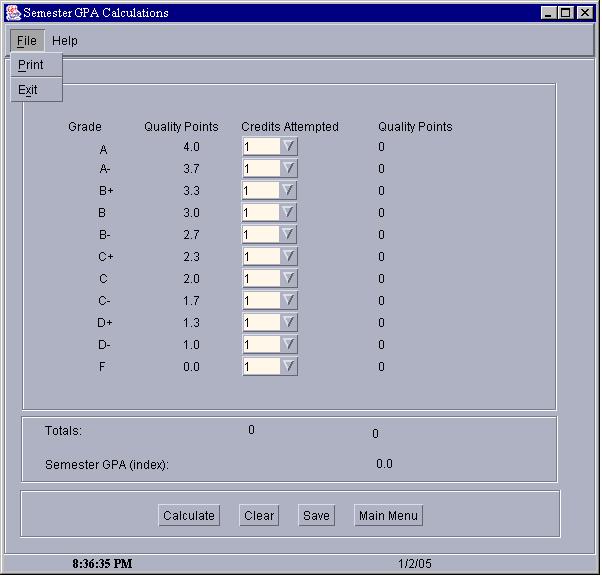
📋 class Student — the blueprint
Fields: name, gpa
Methods: Student(), getStatus()
Instantiated Objects
🎓 obj1: name="Alex" gpa=3.8 → Honor Roll
🎓 obj2: name="Sam" gpa=2.9 → Good Standing
🎓 obj3: name="Jordan" gpa=3.5 → Honor Roll